Enter an ASIN
Start with any valid Amazon product you want to analyze. You do not need to own it.

KlariVision shows what buyers see right now: your organic visibility, the Sponsored results competing for the click, the real category leaders—and what to fix first.
Independent study: 3,019 searches by 184 frequent Amazon shoppers; 72.1% did not continue beyond the first results page. Farronato, Fradkin & MacKay, AEA Papers and Proceedings, 2023 ↗
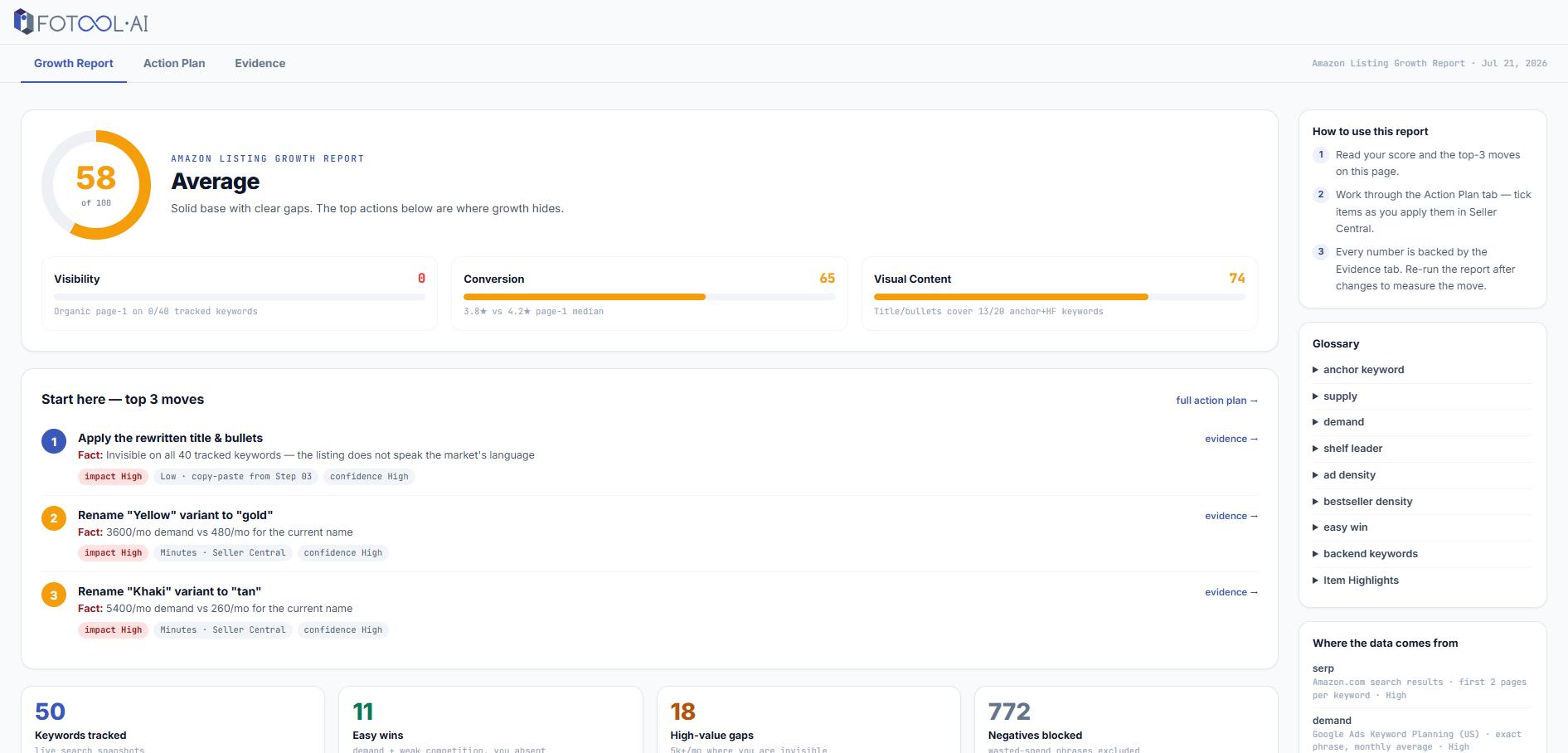
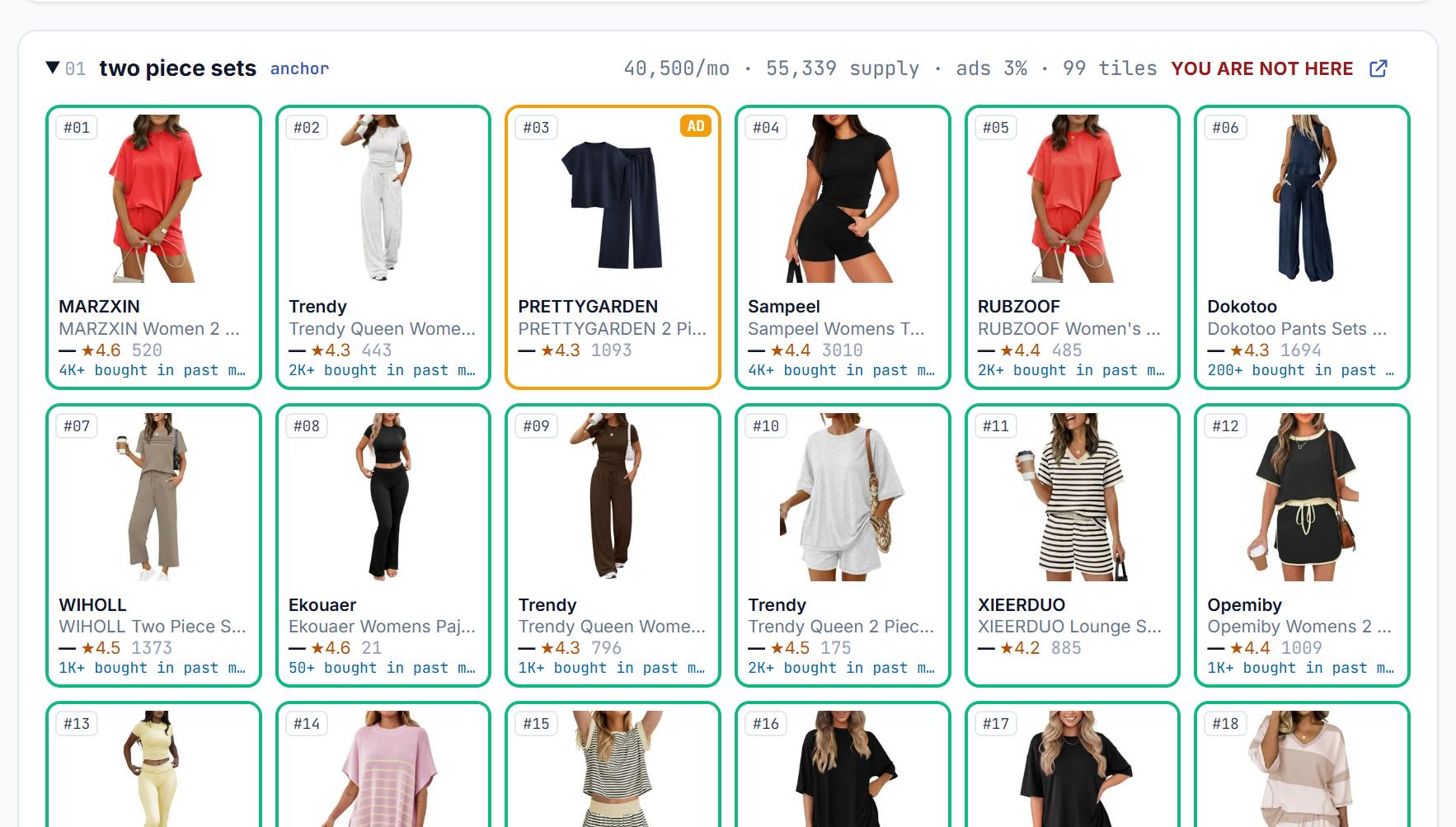
Ads can make a product look like a leader. KlariVision separates Sponsored placements from organic results, then maps where your ASIN appears across the first two pages—and which tracked searches do not return it there at all.
Only organic positions are used to compare category strength. Sponsored pressure remains visible so you can see what is competing for the click.
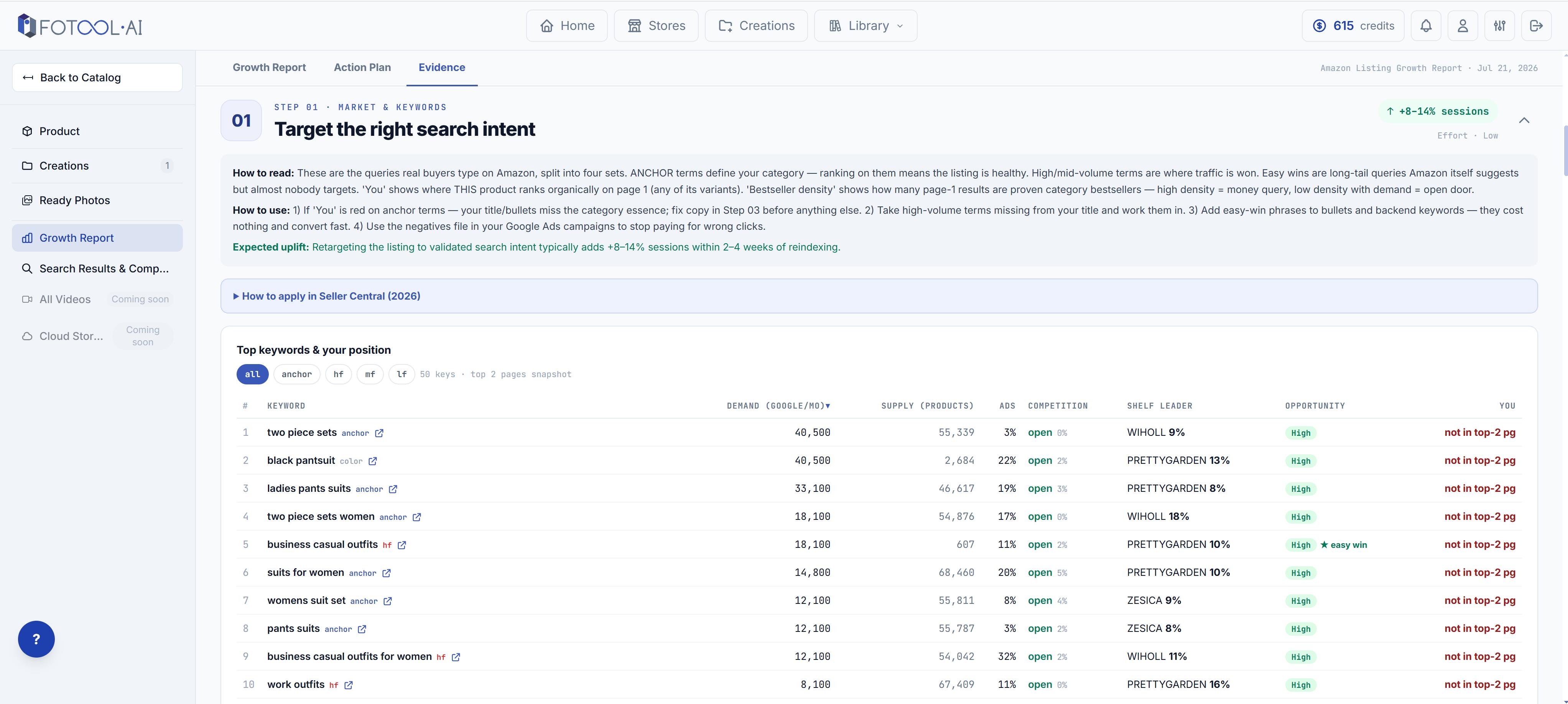
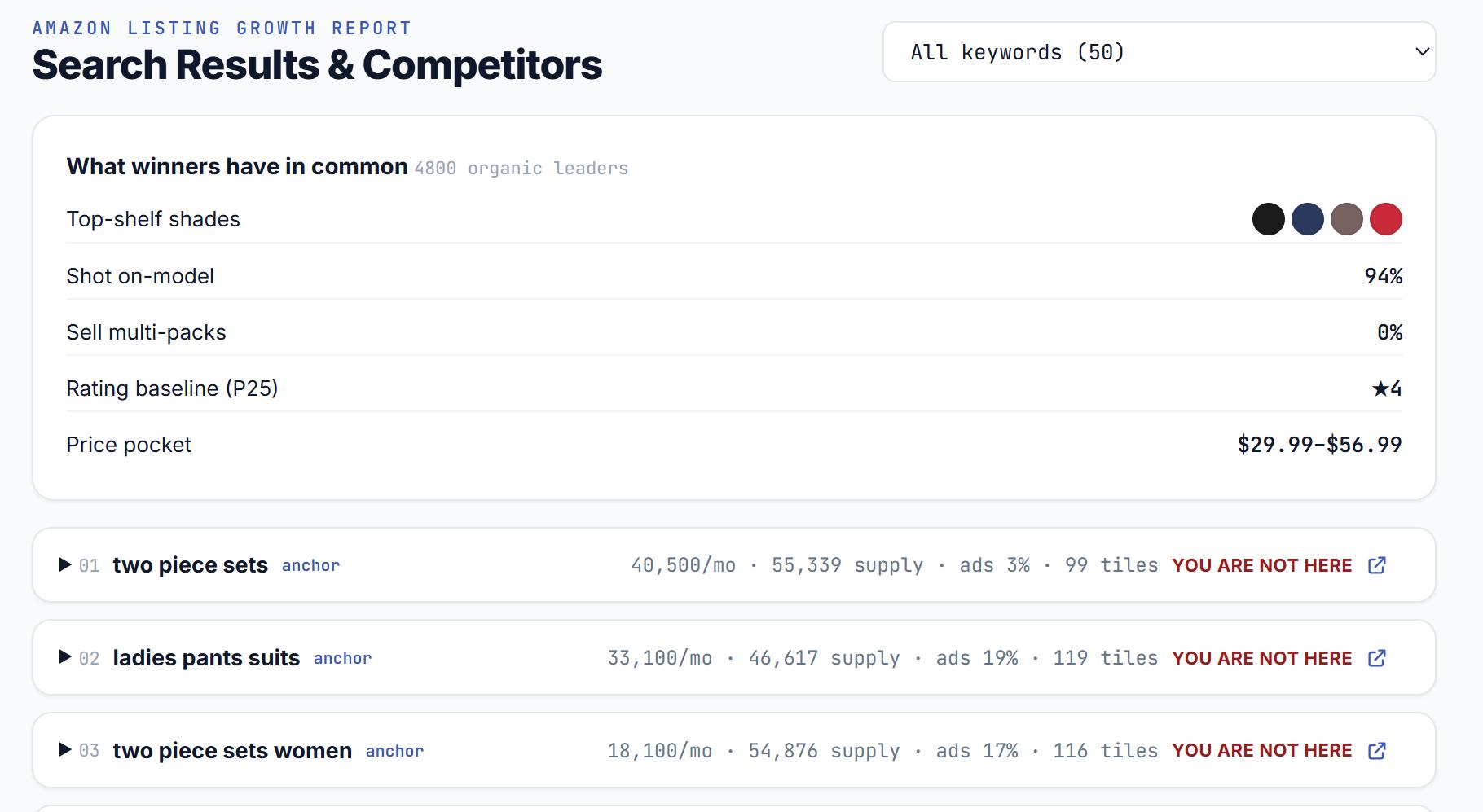
Fotool runs Amazon keyword research anchored to your product's actual Amazon category, combining current Amazon search suggestions, real Google search volumes and query-by-query Amazon results.
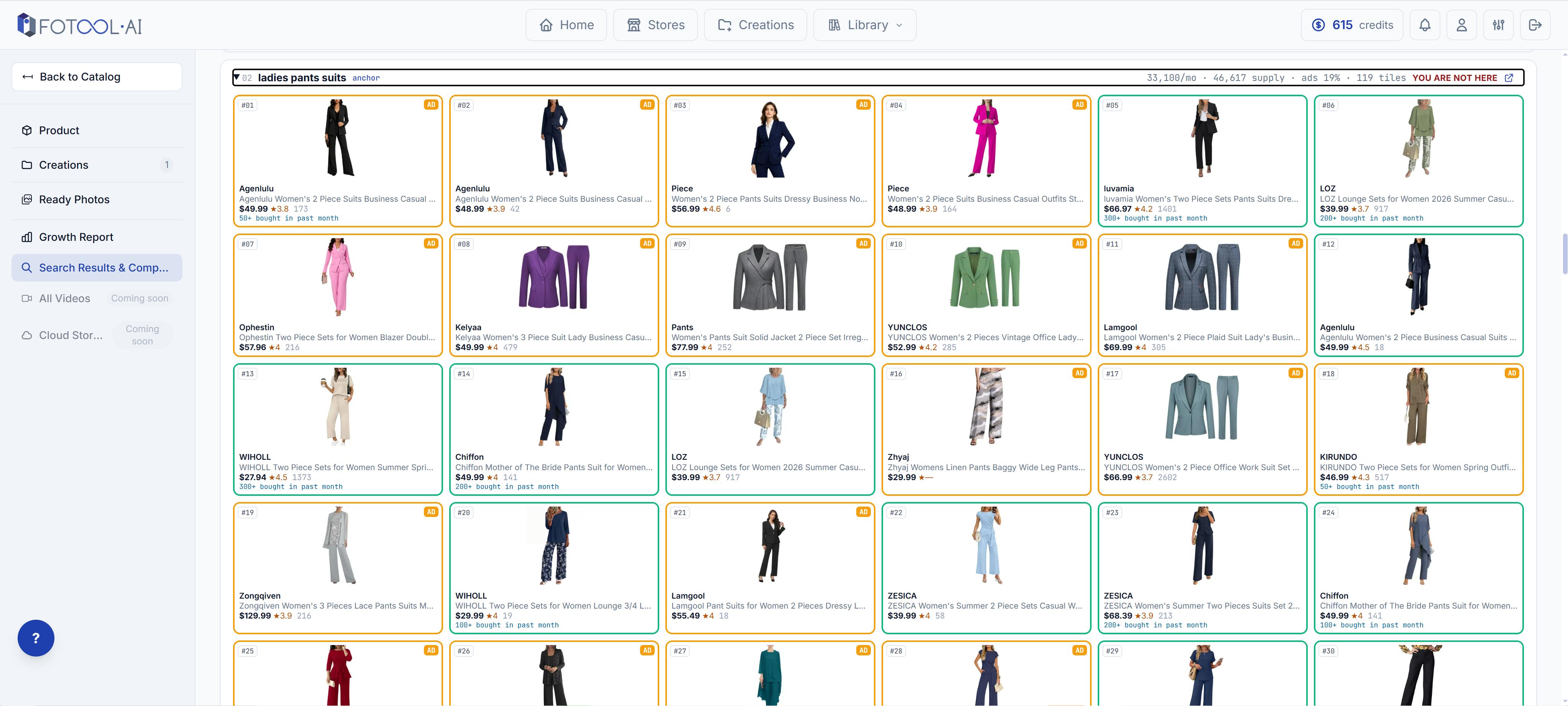
See the Amazon top sellers by category as buyers meet them: the products and brands that repeatedly occupy top organic positions—not just the ones paying for visibility.
Compare current price positioning, gallery patterns and product presentation across the organic shelf. A color is its own report, priced the same as any other — it has its own search shelf.
Then look behind each leader: the third-party seller on Amazon behind the listing, the country that seller is registered in, where the item ships from, how fast it arrives, and whether it carries the Amazon Prime badge — for every leader whose seller profile resolves.
Current signal · not historical sales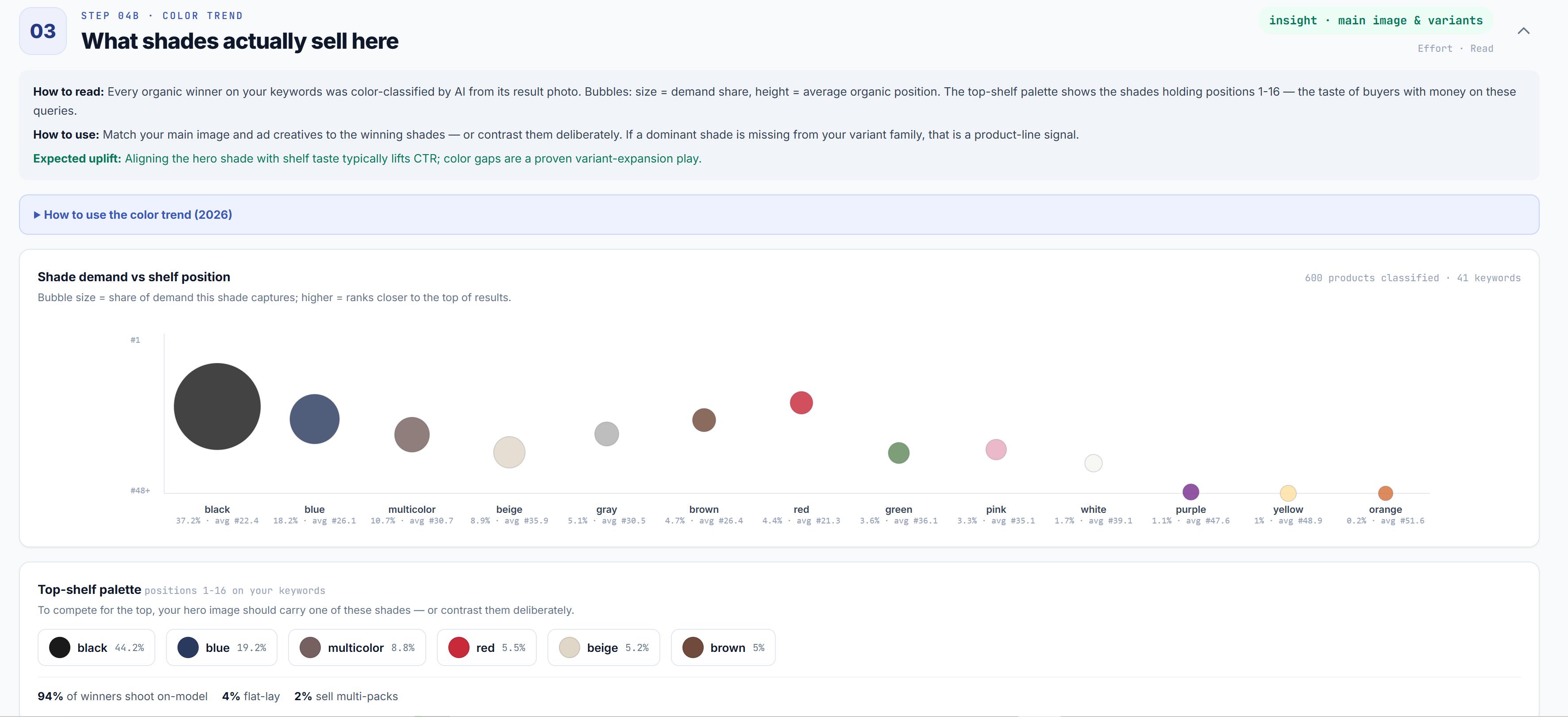
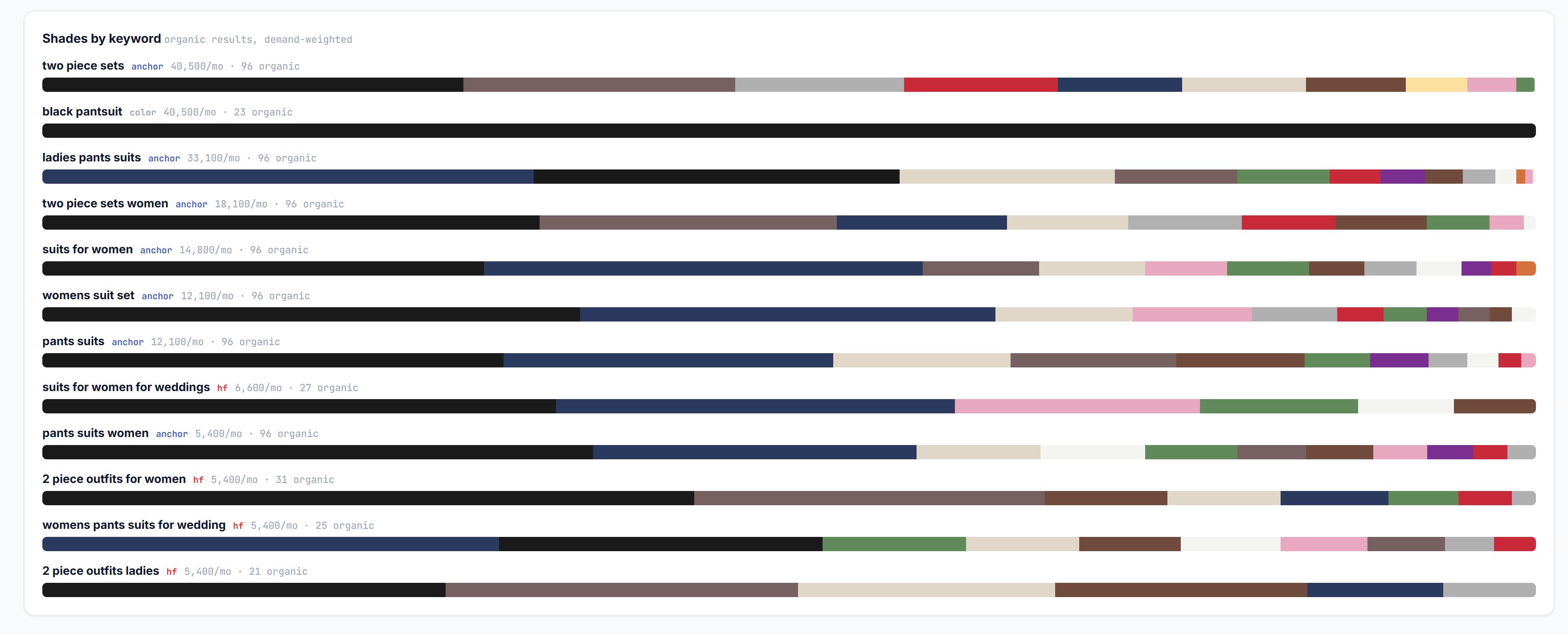
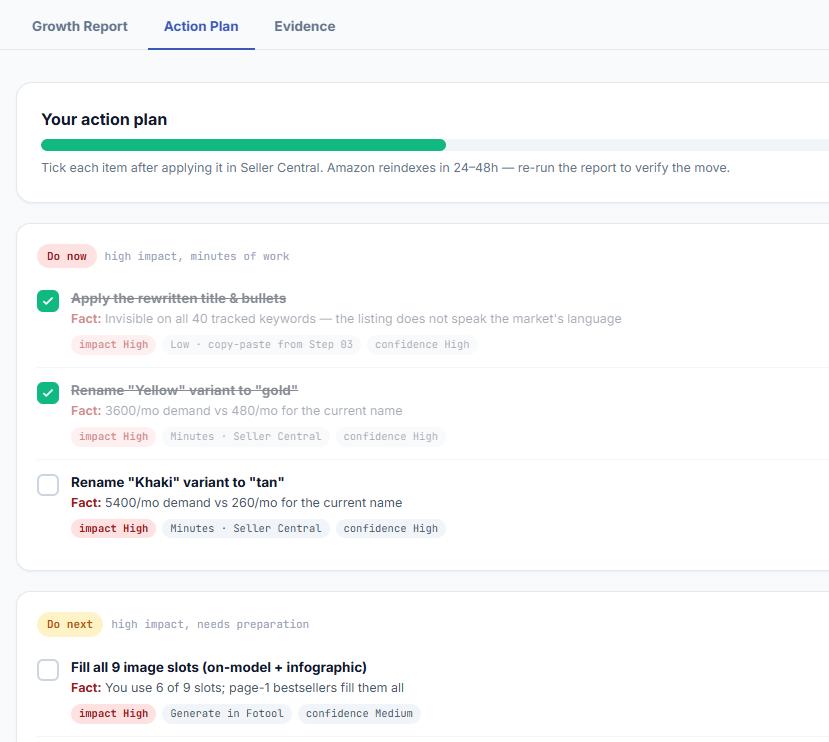
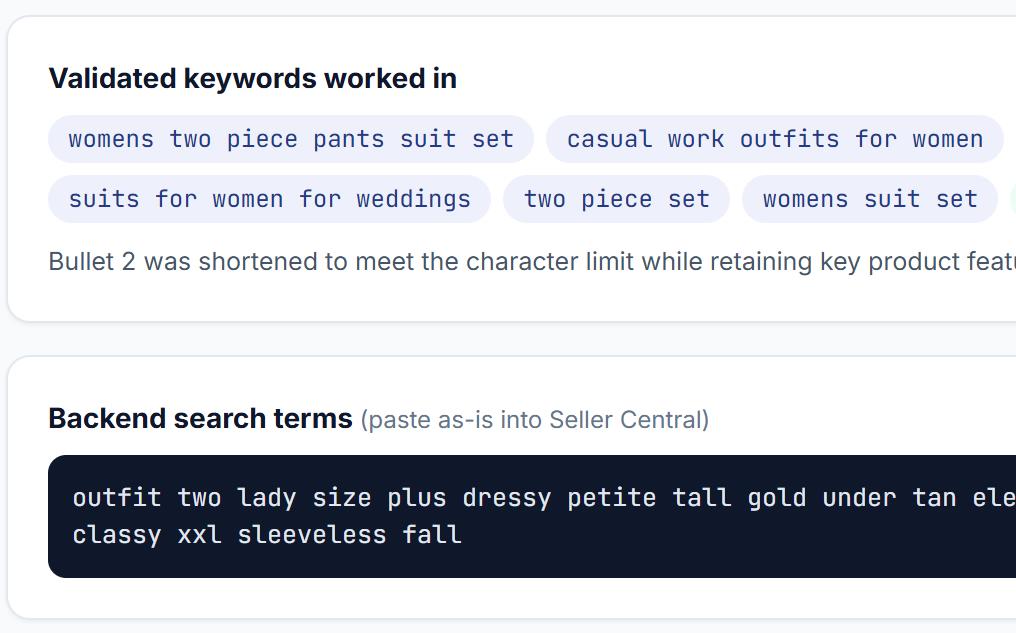
KlariVision turns every finding into one prioritized action plan—so you do not need to interpret a wall of charts or hire an Amazon listing optimization service for every fix. One report costs 4 credits.
ONE ASIN. ONE REPORT. ONE PLAN.
Getting found earns the impression. Winning the click—and moving toward the sale—depends on everything the buyer sees next. That is how your sales can fall while your ranking has not moved at all.
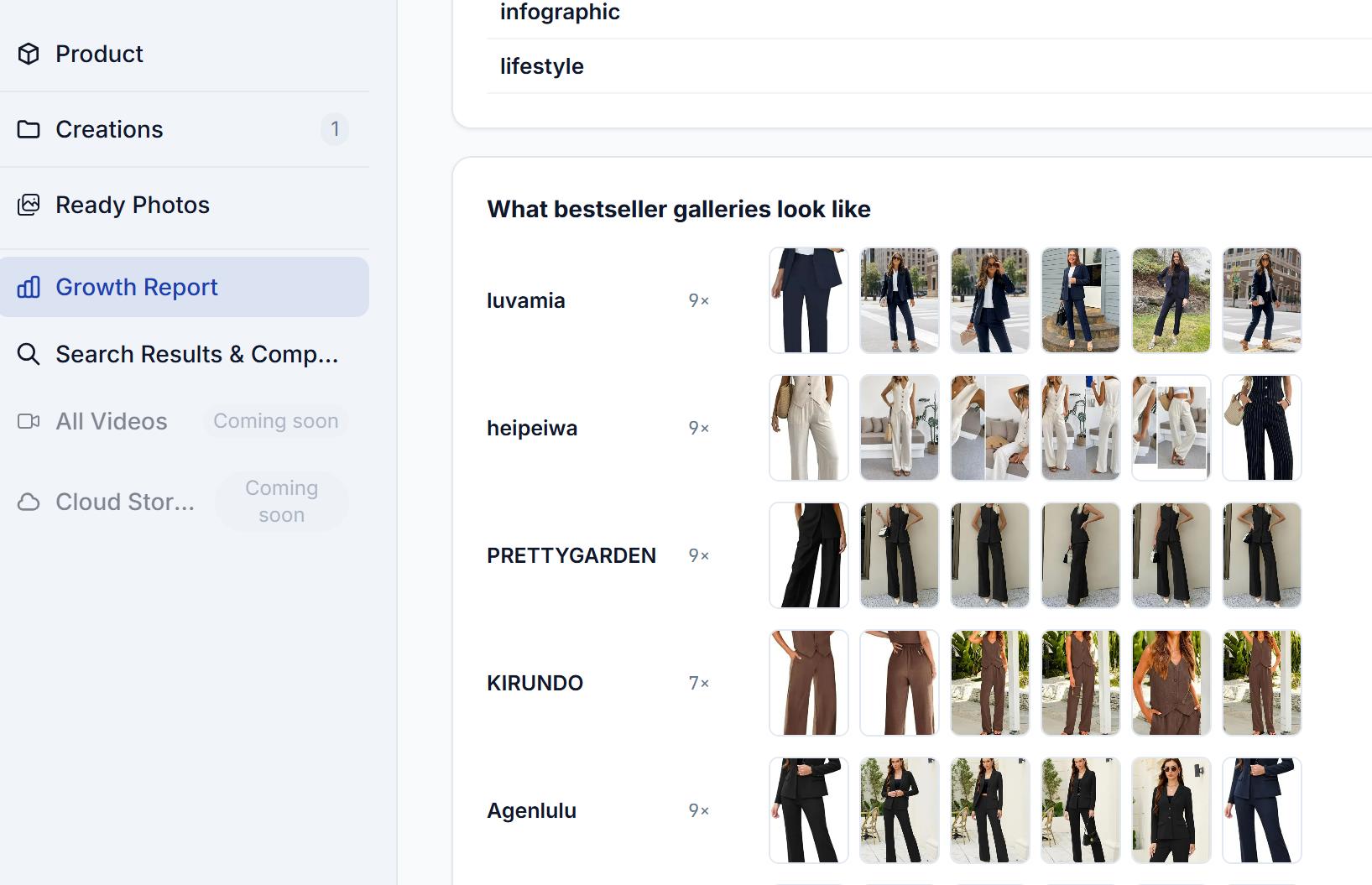
One real ASIN. One complete buyer-path diagnosis. See the evidence, priorities and fixes before building yours.
Start the analysis, leave KlariVision to build the evidence, then return to one saved workspace when the report is ready.
Start with any valid Amazon product you want to analyze. You do not need to own it.
Continue with Google or email, then confirm it. We credit 5 report credits the moment your email is verified — enough for your first report with change.
A complete Amazon listing analysis takes 20+ minutes. We email you when it is ready and save it in your Fotool workspace.
If you agree to publish your experience as a Fotool case study, we will return the report credits to your Fotool balance. Add Fotool to your trusted senders and check spam if the completion email does not arrive.
Being found is only half of it. Fotool shows the other half—where your listing sits organically for each search, who is above you, and how their titles, galleries and prices differ. Fotool reads public Amazon search results, not your Seller Central account, so it does not have your sales figures.
We check the first two results pages on Amazon for every tracked query, so you see exactly which searches return your listing organically, which do not, and which products hold those positions instead—the evidence you need to improve your Amazon ranking query by query.
Partly, and honestly: we never see your sales figures. If your Amazon sales dropped without a price or ad change, the shelf around you usually moved—so we show that shelf as buyers see it today. Read it as a diagnosis of visibility and presentation, not of your account. It is one complete snapshot of the shelf on the day it runs, not a measurement of what changed.
None of the three. An Amazon rank tracker follows one position over time. An instant Amazon listing checker or listing grader scores your listing text in seconds. This is a one-time audit that reads the live Amazon shelf query by query and returns the evidence behind the score, not just the number.
It covers the ground an Amazon seller SEO specialist would start with—organic visibility query by query, the category leaders, keyword gaps, and the title, bullet and backend language behind them—turned into one prioritized plan you apply yourself in Seller Central.
Yes. Sponsored placements are identified separately and are not counted as organic category positions.
No. Fotool analyzes current search results, category signals and the Amazon data available when the report is built.
A complete analysis normally takes more than 20 minutes. We email you when it is ready and save it to your Fotool workspace.
No. You can analyze any valid ASIN. Seller Central access is only needed when you apply changes to your own listing.
Start with one ASIN and see the evidence, the priorities and the fixes. Four credits a report.